Steps
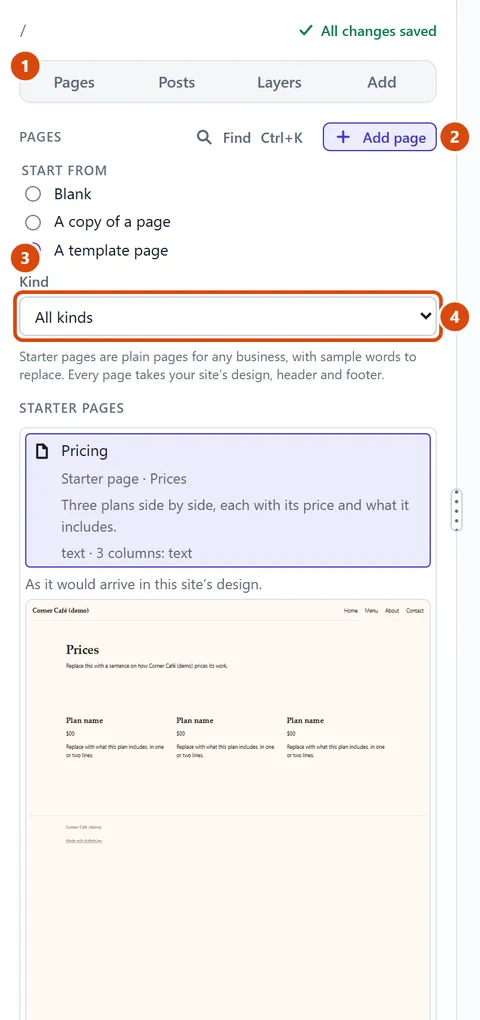
In the left sidebar, open Pages.
Press Add page.
Under Start from, choose A template page for a ready-made page. Blank gives you an empty page, and A copy of a page copies one of yours.
If you like, use Kind to narrow the list. Then click a page. Starter pages such as About, Prices or Questions (FAQ) come first, after any you saved yourself, and the one you pick shows in your site’s own design.
Check the Page name. “Show it in the site menu” is already ticked; untick it to keep the page out of the menu.
Press Add page at the bottom of the form.
Or ask the Assistant: “Add a Questions page from the starter pages and put our opening hours in it.”
Tip: A ready-made page arrives with sample words and pictures. A note called “Make … yours” then says what still needs changing.
Related: Put a page in the menu · Rename, delete or get back a page
Next: Rename, delete or get back a page
Still stuck? Contact support