Steps
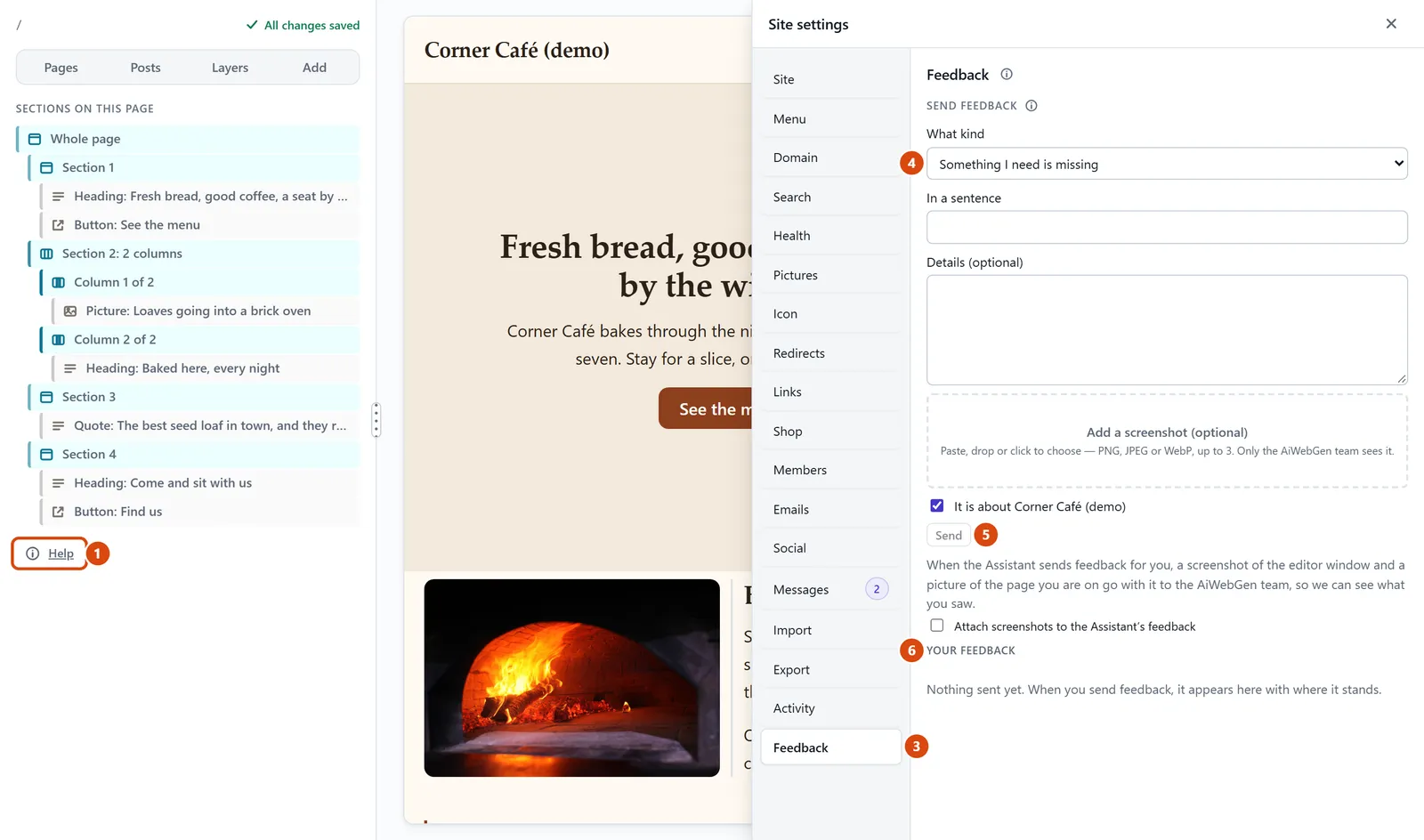
Stuck? Press Help at the bottom of the left sidebar. These help pages open in a new tab. (It is also in More.)
Or ask the Assistant on the right “how do I…”. It knows where everything is in the editor.
To tell us something, open More › Site settings › Feedback.
Pick What kind (for example “Something is broken” or “Something was confusing”), then say what happened in the box called In a sentence. Add a screenshot if you can.
Press Send. Your note says which website it is about; untick “It is about…” first if it isn’t.
To see our answer later, open More › Your feedback.
Or ask the Assistant: “How do I change the colour of my buttons?”
Tip: Can’t sign in or open the editor at all? Email support@aiwebinfra.com from the address you signed up with.
Related: Ask the Assistant to do it for you · Find your way round the editor
Still stuck? Contact support