Help › Pages and the menu

Reorder the menu or make a submenu

Change the order of the links in your site menu, or tuck some under another so they open as a small list.

Steps

  1. Open More at the top of the editor, then Site settings › Menu.

  2. Press the three-dot button at the end of the entry you want to move.

  3. Choose Move up or Move down. Do it again until it’s where you want it.

  4. To make a submenu, choose Put under the entry above. It now opens from the entry above it. “Take out of its submenu” puts it back.

  5. Press Save menu.

  6. Press Publish site at the top. Visitors see the new menu once you publish.
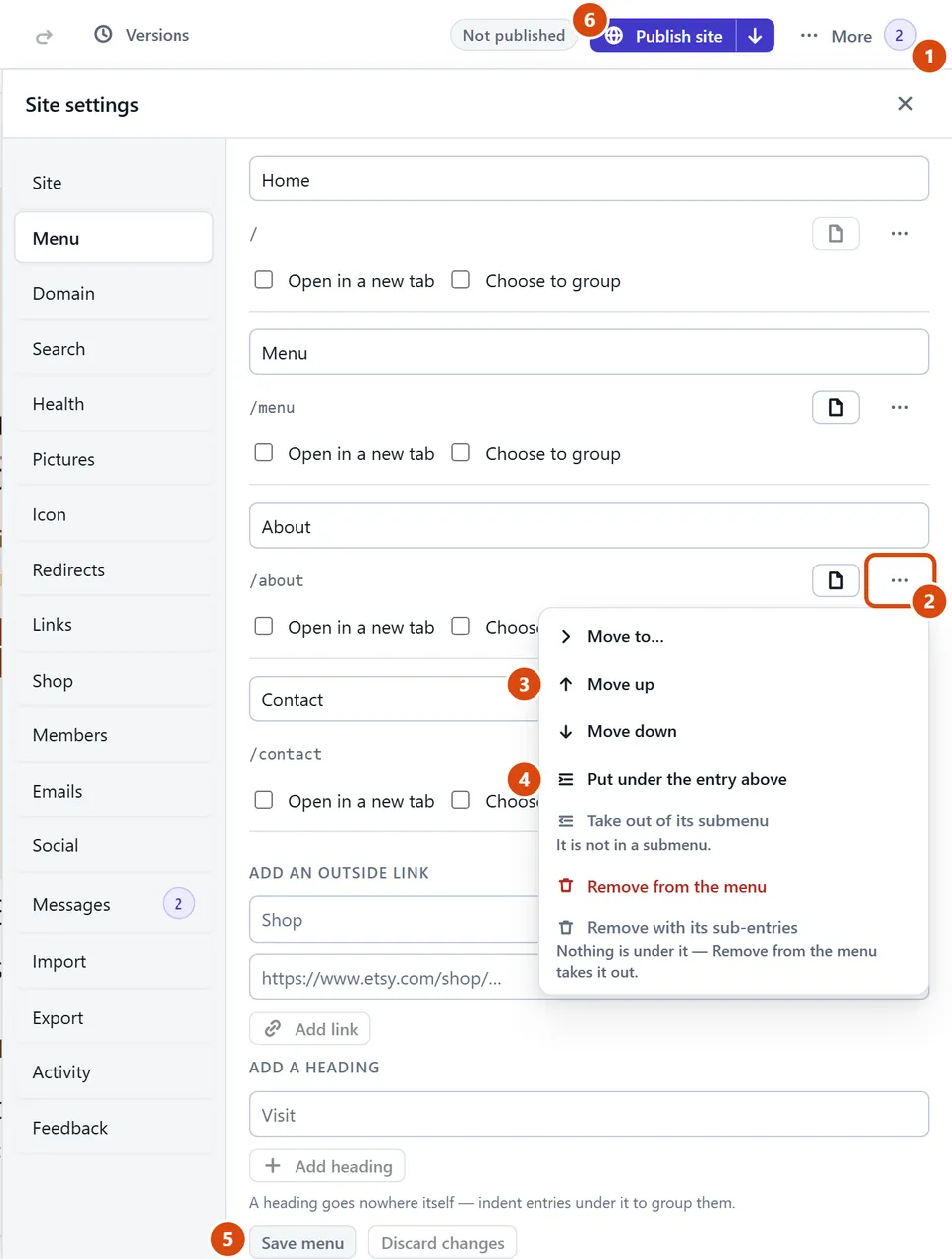
The editor, with three-dot button circled and each step numbered.

Or ask the Assistant: “Put Prices and Reviews under a new menu heading called About us.”

Tip: Moving an entry a long way? Press its three-dot button, choose “Move to…” and pick where it goes. Made a mess? Discard changes puts the menu back as you last saved it.