Move something up or down
Change the order of things on a page, or move something into another section.
Steps
On the page, click the thing you want to move.
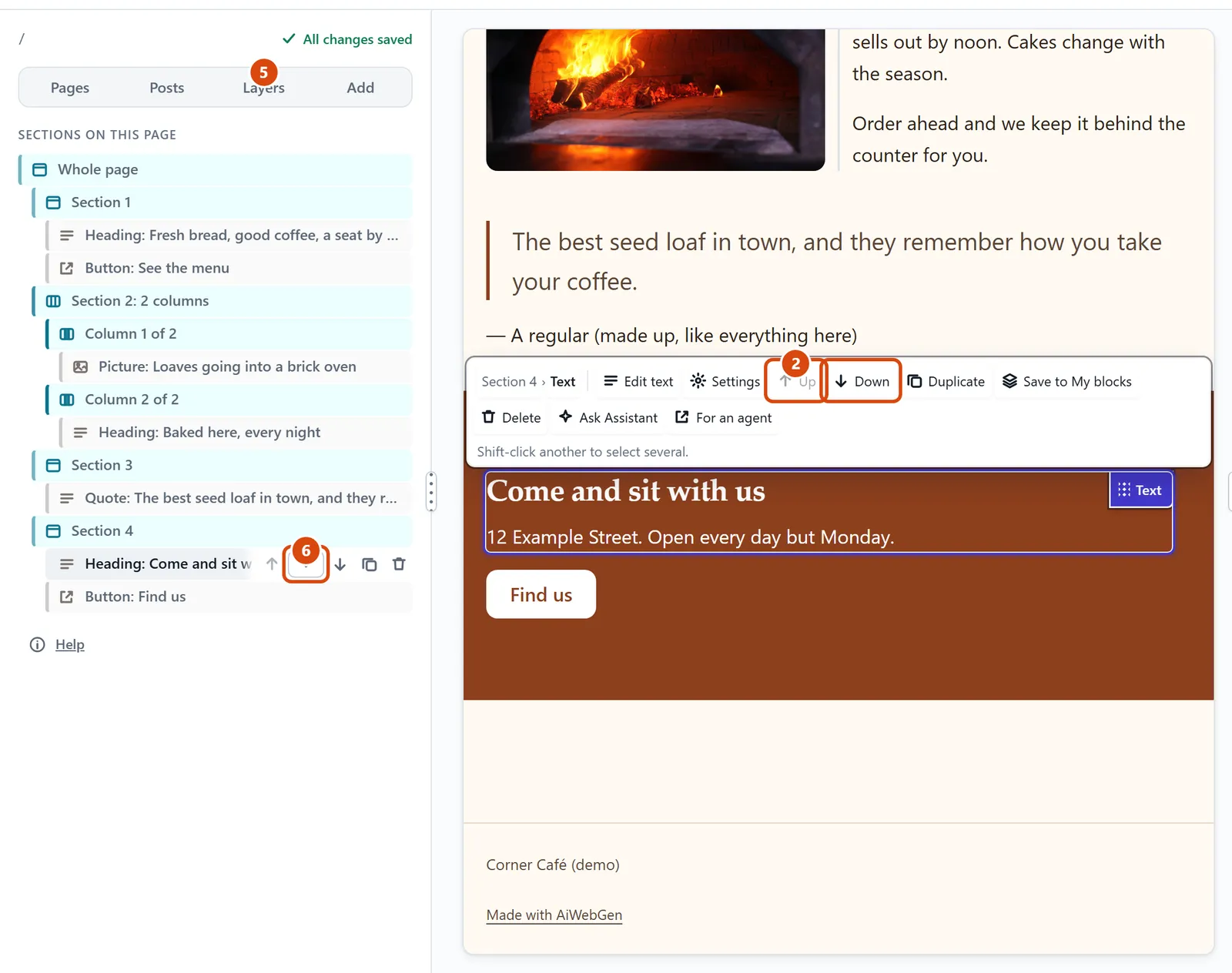
Press Up or Down on the small bar above it. On a keyboard, Alt with the up or down arrow key does the same.
For a column, click its name in the small bar, such as Column 1 of 2, then press Settings on the bar.
Choose Move left or Move right.
For a longer move, open Layers in the left sidebar and drag the thing’s row to its new place.
To put it in another section, point at its row in Layers and pick the section from the Move into… list.
Or ask the Assistant: “Move the opening hours section above the menu section.”
Tip: Need more room between two things? Drag Space from Add › Content in between them.
Related: Delete or copy something · Add columns, or make one wider
Next: Delete or copy something
Still stuck? Contact support