Steps
Open More › Site settings › Shop.
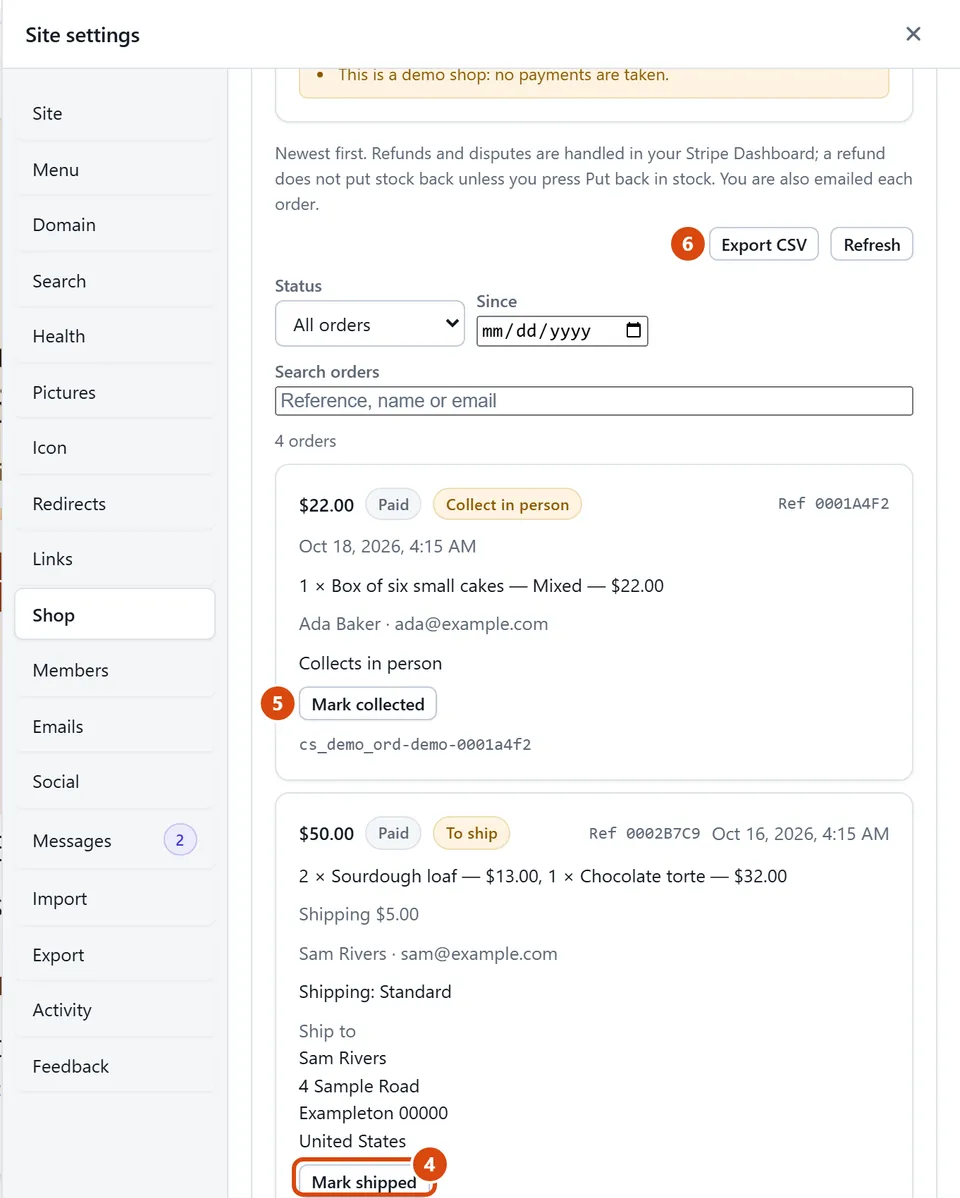
In Show, choose Orders. Orders waiting to go out are marked “To ship”.
On the order, press Mark shipped, then add the Carrier, Tracking number and Tracking link if you have them.
Leave “Email the buyer” ticked so they get the tracking, and press Mark shipped again to save.
For an order someone picks up in person, press Mark collected once they have it. They aren’t emailed, since they were there.
Need a spreadsheet of your orders? Press Export CSV.
Or ask the Assistant: “How do I mark an order shipped?”
Tip: Marked one by mistake? Press “Not shipped yet” or “Not collected yet” on the order to take the mark off.
Related: Charge for shipping, or let buyers collect · Count stock so you never oversell
Next: Count stock so you never oversell
Still stuck? Contact support