Steps
Open More › Site settings › Shop.
In Show, choose Products, then press the product’s row to open it.
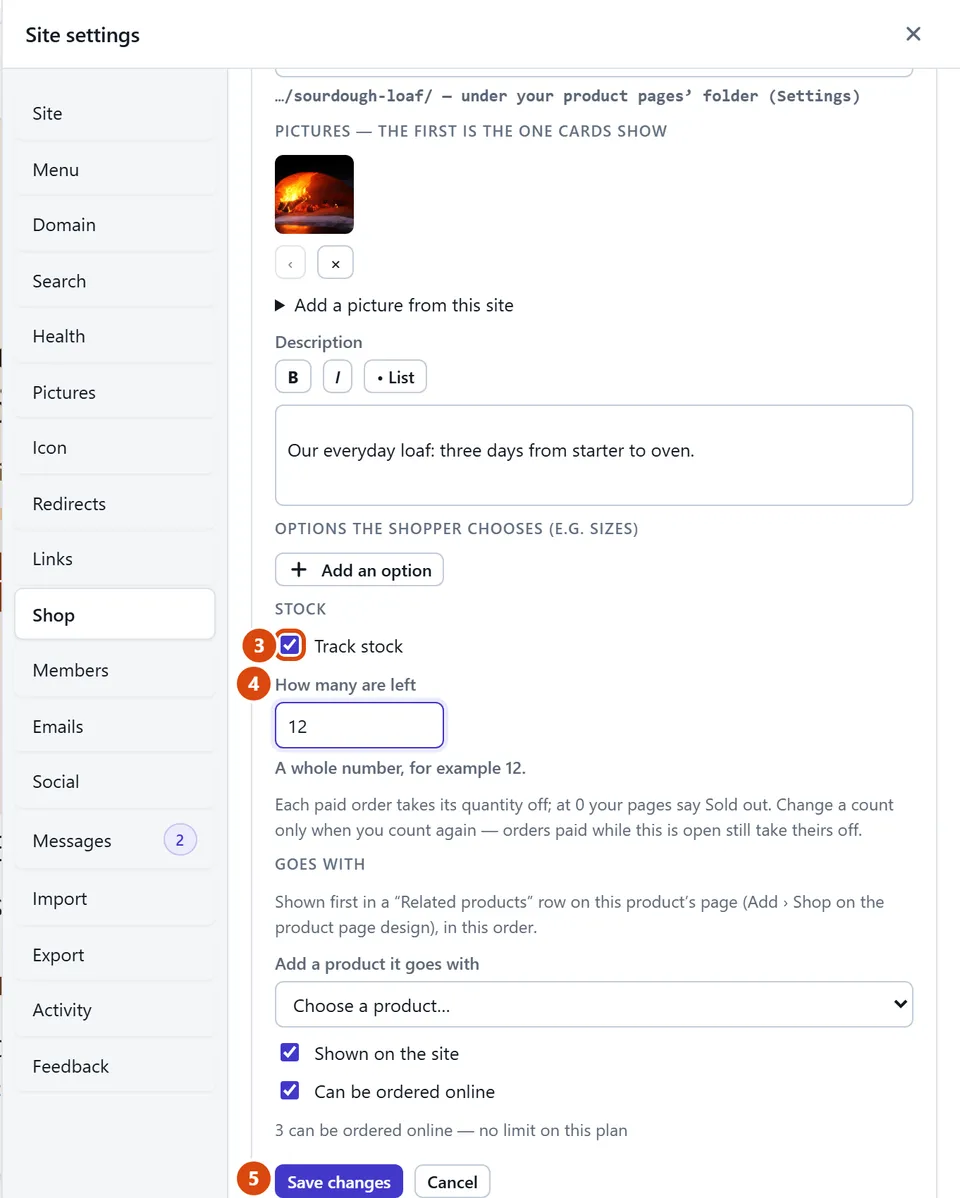
Under Stock, tick Track stock.
Type the number you have in How many are left. If it has options such as sizes, choose Each option to count each one on its own.
Press Save changes.
Or ask the Assistant: “We have 12 jars of honey left. Track the stock for that product.”
Tip: A refund doesn’t put stock back by itself. Open the refunded order in Orders and press “Put back in stock” when the item comes back.
Related: Add a product · Mark an order shipped or collected
Next: Ask the Assistant to do it for you
Still stuck? Contact support