Steps
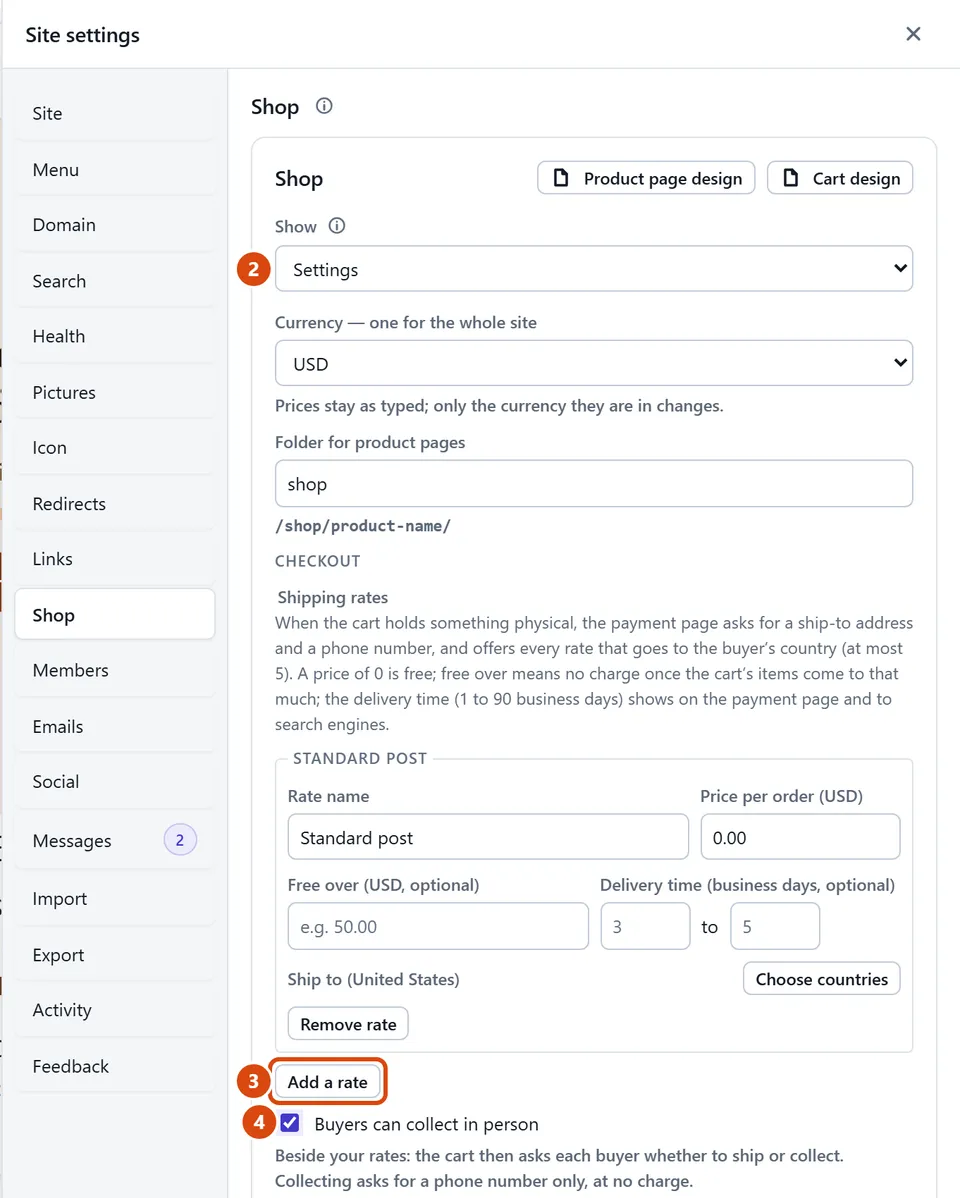
Open More › Site settings › Shop.
In Show, choose Settings, and find Shipping rates.
Press Add a rate. Give it a Rate name (such as Standard), a Price per order (0 means free), and the countries under Ship to.
Want people to collect from you instead, or as well? Tick Buyers can collect in person and type the Pickup place.
Press Save settings.
Or ask the Assistant: “Charge 4.50 shipping in the UK, free on orders over 50, and let people collect from the bakery.”
Tip: Add a second rate for Express or for abroad. Buyers see every rate that covers their country, up to 5.
Related: Mark an order shipped or collected · Add a product
Next: Mark an order shipped or collected
Still stuck? Contact support