Add a video or a booking calendar
Show a YouTube or Vimeo video, or something from another service, such as a booking calendar, on your page.
Steps
On the page, click the part the video should come after.
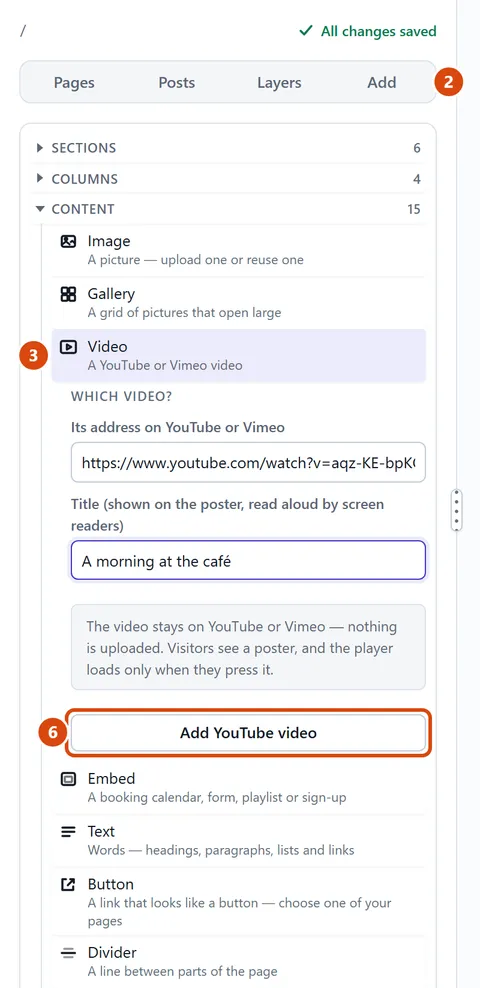
Open Add in the left sidebar, and look under Content.
Click Video. For a booking calendar, form, playlist or sign-up, click Embed instead.
Paste its web address into the address box.
Type a short title. Screen readers (apps that read the screen aloud) say it to people who can’t see the page.
Press the button that names the service, such as Add YouTube video or Add from Calendly.
Or ask the Assistant: “Add this YouTube video under the welcome text: (paste the video’s link here).”
Tip: Embed works with Calendly, Google Forms, Spotify, SoundCloud, Vimeo, Typeform and Substack. Other addresses are turned away.