Steps
Open the page where the posts should show, then in the left sidebar open Add.
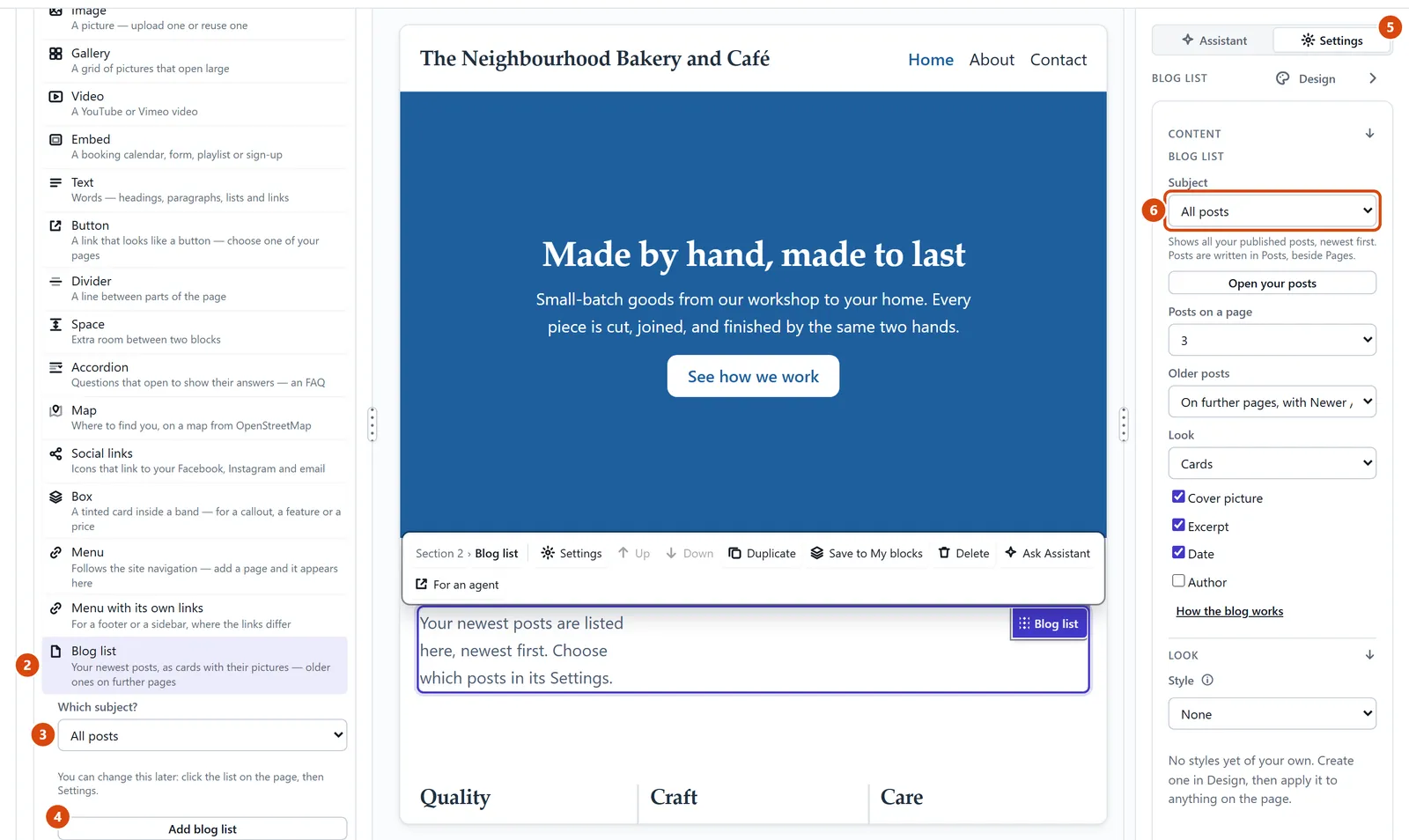
Under Content, click Blog list.
Under Which subject?, choose All posts, or one category or tag. (These are words you give your posts in Posts, to group them.)
Press Add blog list. Or drag Blog list straight onto the page where you want it.
To change it later, click the list on the page and open Settings on the right.
Choose a different Subject. Below it you can also choose how many posts show and whether they look like cards or a list.
Or ask the Assistant: “Add a list of my latest posts under the welcome section on the home page.”
Tip: To change how every post looks (where the title, date and picture sit), open Posts and press Design the post page.
Related: Write a blog post · Add a section
Next: Put your site on the web
Still stuck? Contact support