Add questions and answers
A list of questions that people click to open the answer. It works well for an FAQ (frequently asked questions).
Steps
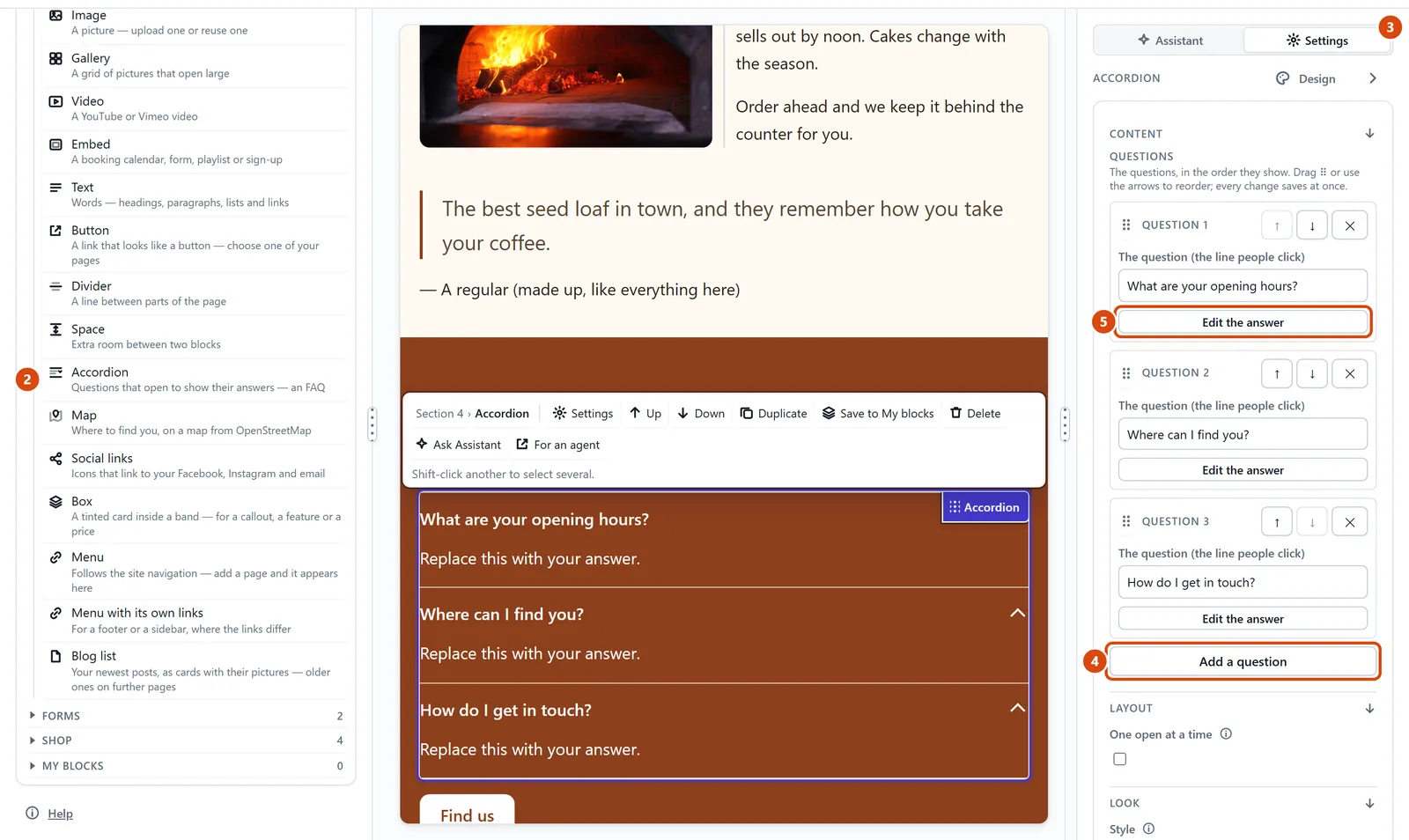
Open Add in the left sidebar, and look under Content.
Drag Accordion (a list that opens and closes) onto the page.
With it selected, open Settings in the right-hand panel.
Type each question in its box, and press Add a question for another one.
Press Edit the answer under a question, then click into the answer on the page and type.
Or ask the Assistant: “Add questions and answers to the Contact page: do you take bookings, is there parking, and are dogs welcome?”
Tip: To change the order, use the up and down arrows beside each question, or drag its handle.
Related: Add text, a button, a divider or social links · Move something up or down
Next: Add a map
Still stuck? Contact support