Steps
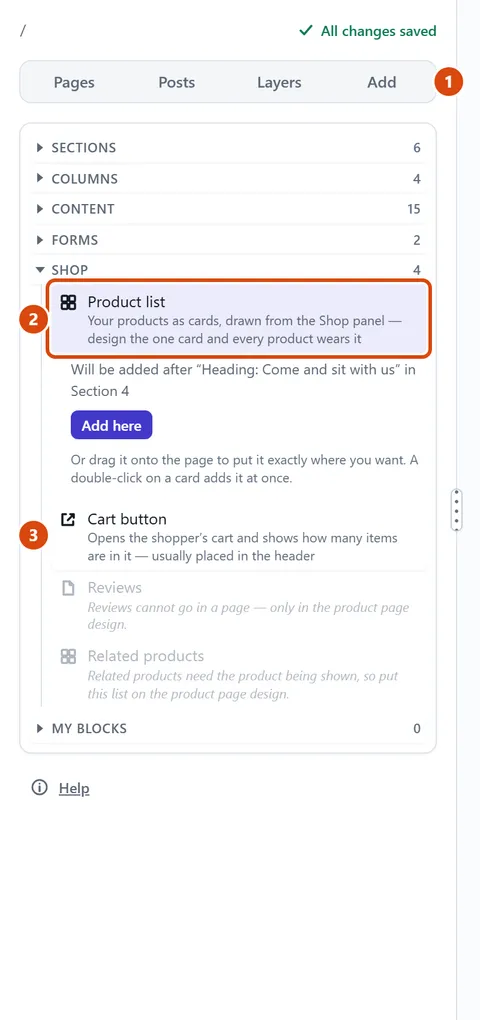
Open the page where your products should go, then press Add in the left sidebar.
Open the Shop group (press its name if it is closed) and drag Product list onto the page, to where you want it. Or double-click it to add it after what you have selected.
Add a Cart button the same way, so buyers can always reach their cart. The site header is a good place for it.
To change how every product’s own page looks, open More › Site settings › Shop and press Product page design.
Press Publish site so visitors can see your products.
Or ask the Assistant: “Put a list of all my products on the Shop page, under the heading.”
Tip: A single click only picks the card and says where it will go. Press Add here to put it there, which is handy on a tablet.
Related: Add a product · Add text, a button, a divider or social links
Next: Charge for shipping, or let buyers collect
Still stuck? Contact support