Steps
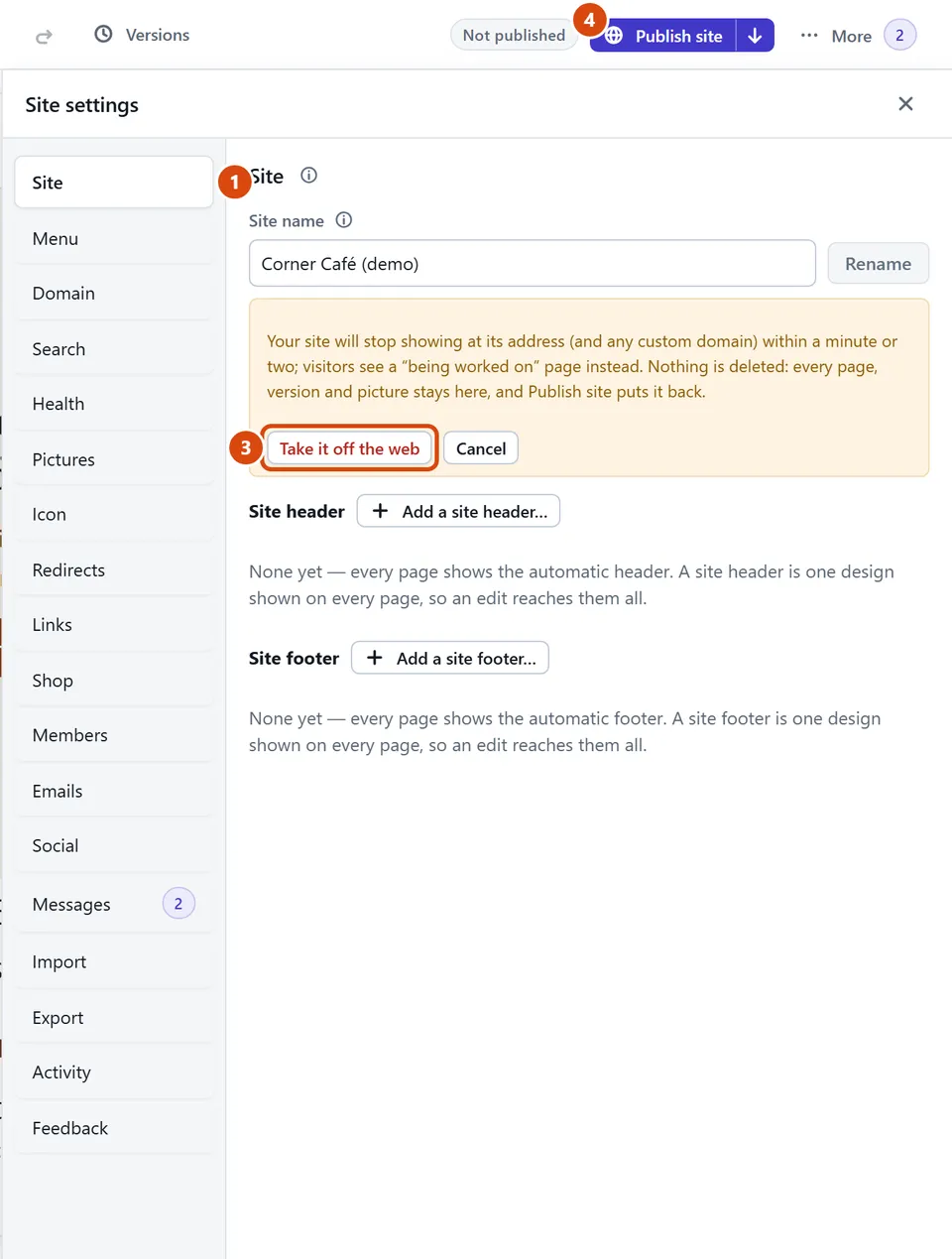
Open More › Site settings › Site.
Press Take the site off the web… and read what it says.
Press Take it off the web. Within a minute or two, visitors to your address (and your own domain, if you have one) see your site’s name and “This site is being worked on. Check back soon.”
Ready to come back? Press Publish site. Everything returns as it was.
Or ask the Assistant: “What happens to my pages if I take my site off the web?”
Tip: Nothing is deleted: pages, versions, pictures and products all stay. If your shop was open to AI assistants, tick “Let AI assistants shop here” again after you publish. It is at the bottom of the Shop’s Settings.
Related: Put your site on the web · Get help, or tell us something
Next: Add a product
Still stuck? Contact support